## On this page
# Connections
Last update: 16.10.2025
## Zonelet connection
Connect operations help you to create a watertight, fully connected surface mesh for successful volume mesh generation. Connect operations conformally connect multiple watertight volumes providing shared zonelets (and therefore connected volume mesh) between them. The [`Connect`](../api/_autosummary/ansys.meshing.prime.Connect.md#ansys.meshing.prime.Connect) class allows you to connect the face zonelets in a part, volume, or model using various connect algorithms.
There are three major operations for zonelet connections:
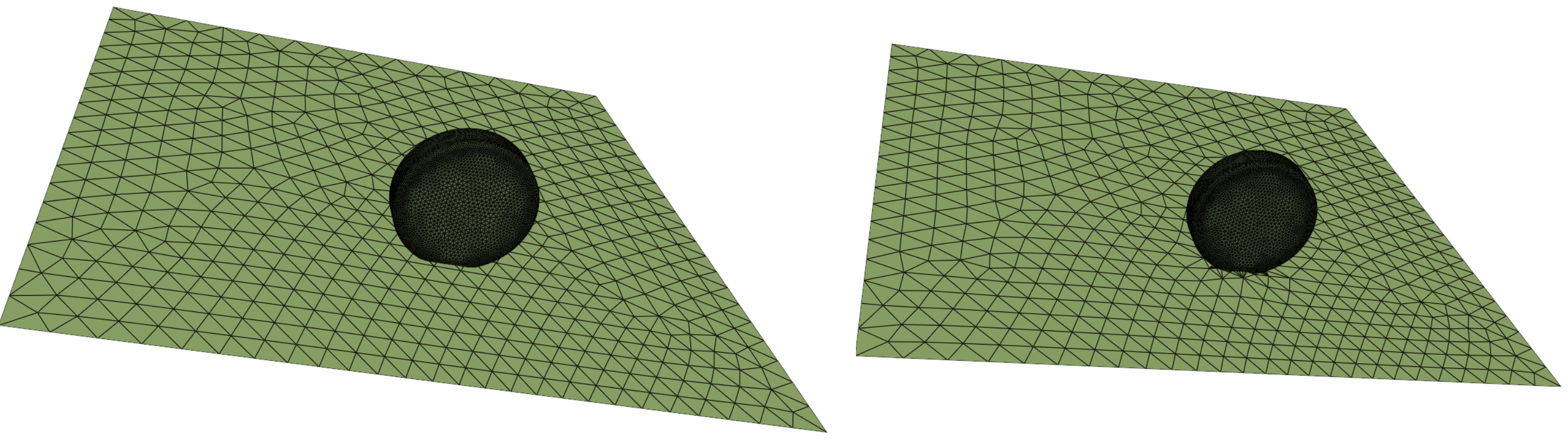
- The [`Connect.intersect_face_zonelets()`](../api/_autosummary/ansys.meshing.prime.Connect.intersect_face_zonelets.md#ansys.meshing.prime.Connect.intersect_face_zonelets) function allows you to intersect the face zonelets of the part along the intersecting faces.
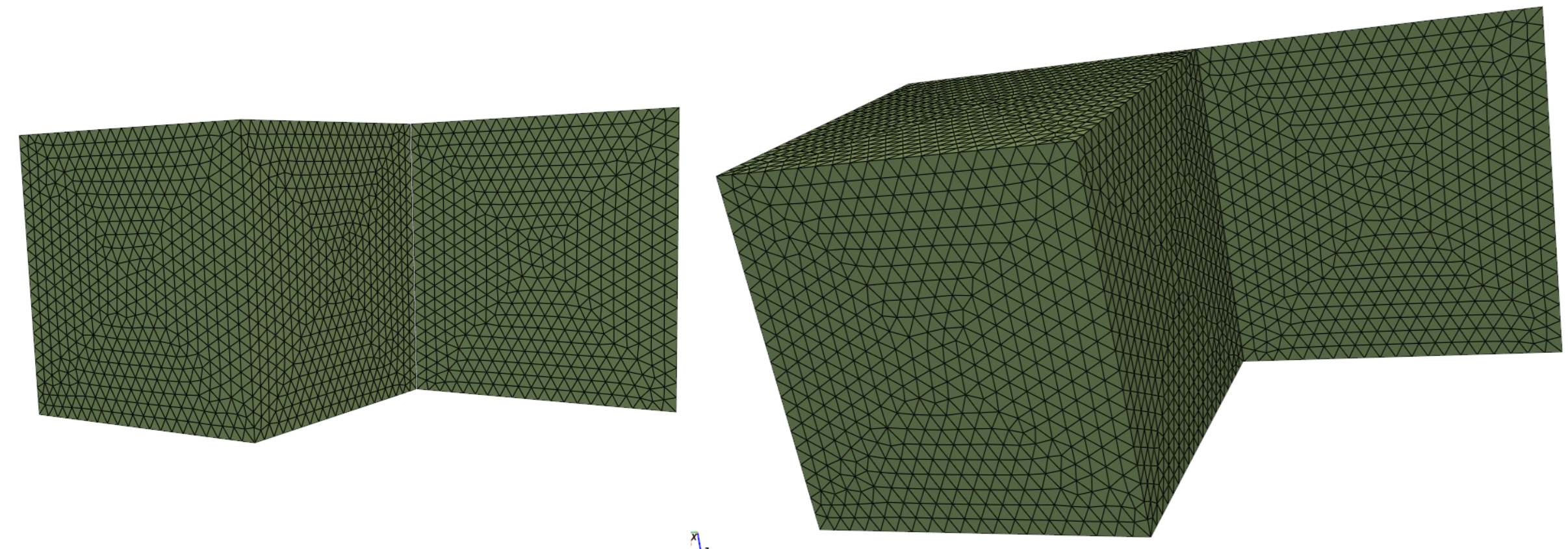
- The [`Connect.stitch_face_zonelets()`](../api/_autosummary/ansys.meshing.prime.Connect.stitch_face_zonelets.md#ansys.meshing.prime.Connect.stitch_face_zonelets) function allows you to stitch a set of face zonelets to another set of face zonelets along the boundary of zonelets.
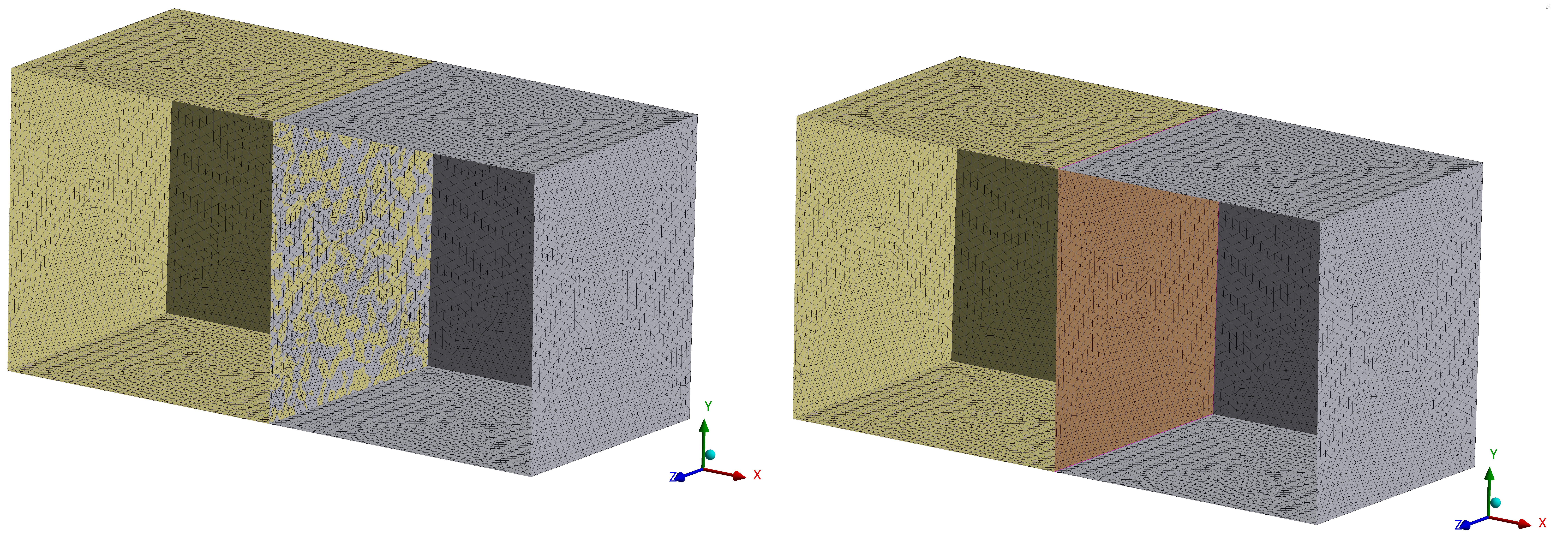
- The [`Connect.join_face_zonelets()`](../api/_autosummary/ansys.meshing.prime.Connect.join_face_zonelets.md#ansys.meshing.prime.Connect.join_face_zonelets) function allows you to join a set of face zonelets to another set of face zonelets along the overlapping faces.
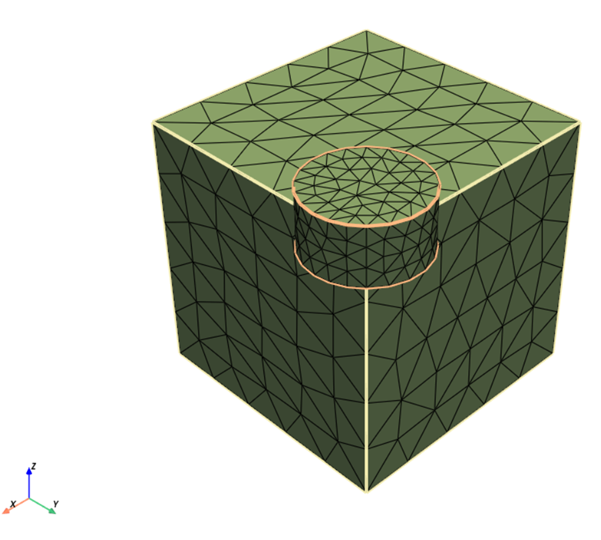
- The [`Connect.fuse_face_zonelets()`](../api/_autosummary/ansys.meshing.prime.Connect.fuse_face_zonelets.md#ansys.meshing.prime.Connect.fuse_face_zonelets) function allows you to perform fuse operation between overlapping face zonelets within a single part.
- The [`Connect.merge_boundary_nodes()`](../api/_autosummary/ansys.meshing.prime.Connect.merge_boundary_nodes.md#ansys.meshing.prime.Connect.merge_boundary_nodes) function allows you to merge boundary nodes of source face zonelets with boundary nodes of target face zonelets with the given parameters.
#### NOTE
Connect operations support only computational mesh, which is mesh with reasonable size changes and quality. Faceted geometry, which is STL-like mesh that can have extreme size changes and many sliver elements, is not supported.
The following example shows how to accomplish these tasks:
- Import the model and delete geometry topology from each part.
- Merge the parts and verify the surface mesh connectivity.
- Perform the join or intersect operation on face zonelets.
1. Import the model and delete topo-geometric entities from each part:
```python
prime.FileIO(model).read_pmdat(
"D:/Temp/mesh.pmdat", file_read_params=prime.FileReadParams(model)
)
for part in model.parts:
topofaces = part.get_topo_faces()
if topofaces:
params = prime.DeleteTopoEntitiesParams(
model, delete_geom_zonelets=True, delete_mesh_zonelets=False
)
part.delete_topo_entities(params)
```
2. Merge the parts.
```python
model.merge_parts(
part_ids=[part.id for part in model.parts], params=prime.MergePartsParams(model)
)
```
3. Check the surface before performing the connect operation.
```python
diag = prime.SurfaceSearch(model)
diag_res = diag.get_surface_diagnostic_summary(
prime.SurfaceDiagnosticSummaryParams(
model,
scope=prime.ScopeDefinition(model=model, part_expression="*"),
compute_free_edges=True,
compute_multi_edges=True,
)
)
```
For more information on checking the surface mesh connectivity, see [Mesh diagnostics](mesh_diagnostics.md).
4. Print the results of the surface mesh connectivity before performing the connect operation:
```pycon
>>> print(diag_res)
error_code : ErrorCode.NOERROR
n_self_intersections : 342
n_free_edges : 564
n_multi_edges : 0
n_duplicate_faces : 0
```
5. Connect face zonelets in the model:
#### NOTE
Only triangular faces are supported.
```python
join_params = prime.JoinParams(model)
inter_params = prime.IntersectParams(model)
join_params.tolerance = 0.1
part_id = model.parts[0].id
faces = model.parts[0].get_face_zonelets()
for face in faces:
other_faces = [other for other in faces if face != other]
prime.Connect(model).intersect_face_zonelets(
part_id=part_id,
face_zonelet_ids=[face],
with_face_zonelet_ids=other_faces,
params=inter_params,
)
prime.Connect(model).join_face_zonelets(
part_id=part_id,
face_zonelet_ids=[face],
with_face_zonelet_ids=other_faces,
params=join_params,
)
```
6. Check the surface after performing the connect operation:
```python
diag_res = diag.get_surface_diagnostic_summary(diag_params)
```
7. Print the results of the surface mesh connectivity after performing the connect operation:
```pycon
>>> print(diag_res)
error_code : ErrorCode.NOERROR
n_self_intersections : 0
n_free_edges : 448
n_multi_edges : 9
n_duplicate_faces : 0
```
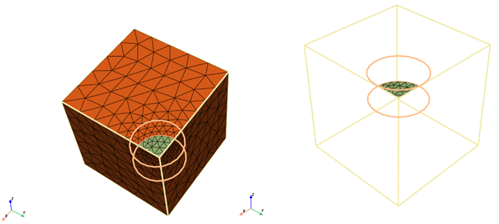
To perform Fuse operation,
1. Connect face zonelets in the model using fuse operation. You can apply Fuse operation on overlapping faces within a single part. You can co-locate, merge, or remove fused surfaces as per your requirement.
2. Enable the fuse parameters as per your requirement. When use\_absolute\_tolerance is True, provides the gap tolerance or side tolerance value as absolute value. ```python
connect = prime.Connect(model)
params = prime.FuseParams(model=model)
params.use_absolute_tolerance = True
params.gap_tolerance = 20
params.fuse_option = prime.FuseOption.TRIMONESIDE
params.check_interior = True
params.check_orientation = False
params.local_remesh = True
params.separate = True
params.dump_mesh = False
params.n_layers = 2
params.angle = 45
```
The fuse\_option parameter specifies how to treat the surface when performing fuse operation. Here, TRIMONESIDE option deletes the faces to be fused on one side and merges the nodes in the middle location. When local\_remesh parameter is True, the fused region is meshed after performing fuse operation. n\_layers parameter specifies the number of layers around the region to be fused. When separate is True, the fused region is separated.
3. Fuse the face zonelets using the given parameters.
> > ```python
> > result = connect.fuse_face_zonelets(
> > part.id, source_face_zonelet_ids, target_face_zonelet_ids, params
> > )
> > g = Graphics(model)
> > g()
> >
> > ```
## Topology-based connection
The [`Scaffolder`](../api/_autosummary/ansys.meshing.prime.Scaffolder.md#ansys.meshing.prime.Scaffolder) class allows you to provide connection using faceted geometry and topology. This class also handles the gaps and mismatches in the geometry.
Topology-based connection creates shared topoedges between neighboring topofaces. Hence, you can create connected mesh between topofaces.
#### NOTE
Connectivity cannot be shared across multiple parts.
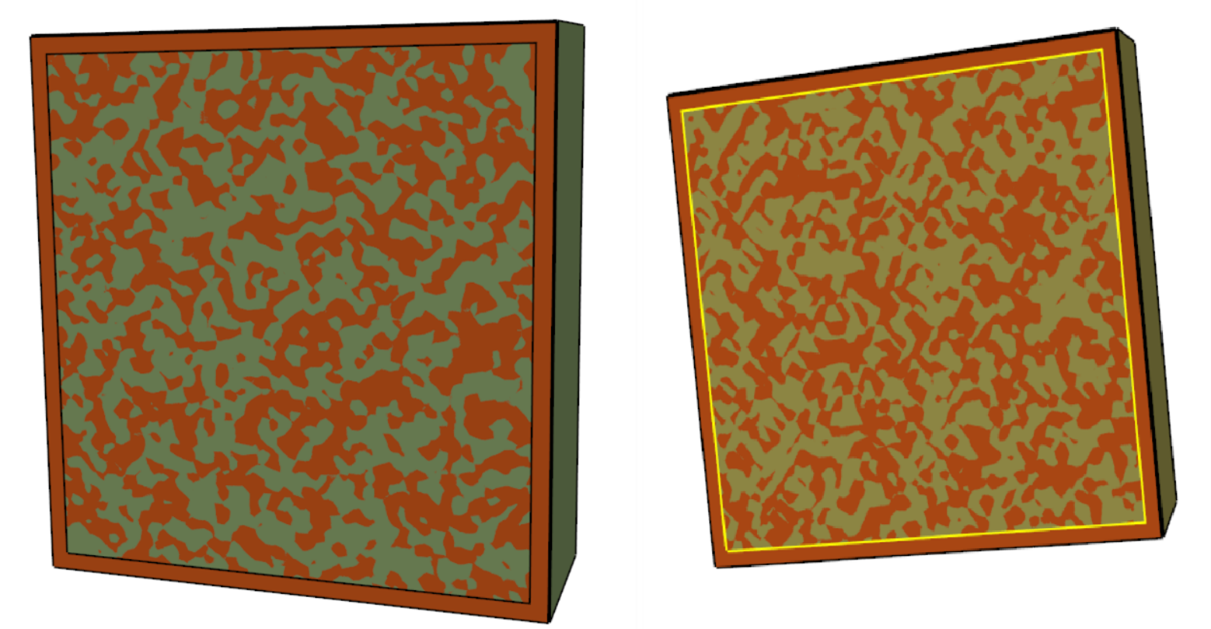
Here, the yellow edges denote multiple connections between the four topofaces. The model has a single topoface containing an interior edge loop and an overlapping topoface on the central portion. You may separate the large topoface by the interior edge loop and delete the shadow or merge the topoface to achieve the desired state.
This code merges parts and scaffold topofaces:
```python
# Merge parts
model.merge_parts(
part_ids=[part.id for part in model.parts], params=prime.MergePartsParams(model)
)
# Scaffold TopoFaces
params = prime.ScaffolderParams(
model=model,
absolute_dist_tol=0.01,
intersection_control_mask=prime.IntersectionMask.FACEFACEANDEDGEEDGE,
constant_mesh_size=0.1,
)
scaffolder = prime.Scaffolder(model, part.id)
res = scaffolder.scaffold_topo_faces_and_beams(
topo_faces=part.get_topo_faces(), topo_beams=[], params=params
)
```
This code prints the results so that you can verify the number of topofaces that failed in the scaffold operation:
```pycon
>>> print(res)
n_incomplete_topo_faces : 0
error_code : ErrorCode.NOERROR
```