

ZOSAPI.Analysis.Settings.Fans.IAS_Fan Interface Reference
Last update: 17.07.2025
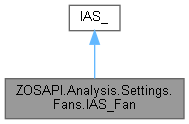
Inheritance diagram for ZOSAPI.Analysis.Settings.Fans.IAS_Fan:
Properties | |
| IAS_Field | Field [get] |
| IAS_Surface | Surface [get] |
| IAS_Wavelength | Wavelength [get] |
| int | NumberOfRays [get, set] |
| double | PlotScale [get, set] |
| bool | CheckApertures [get, set] |
| bool | VignettedPupil [get, set] |
| bool | UseDashes [get, set] |
| SagittalAberrationComponent | Sagittal [get, set] |
| TangentialAberrationComponent | Tangential [get, set] |
Additional Inherited Members | |
 Public Member Functions inherited from ZOSAPI.Analysis.Settings.IAS_ | |
| IMessages | Verify () |
| void | Save () |
| Saves the current settings to the default CFG file. | |
| void | Load () |
| Loads settings from the default CFG file. | |
| void | Reset () |
| Resets the settings back to the defaults for the current analysis. | |
| bool | SaveTo (string settingsFile) |
| Saves the current settings to the specified file. | |
| bool | LoadFrom (string settingsFile) |
| Replaces the current settings with settings read from the specified file. | |
| bool | ModifySettings (string settingsFile, string typeCode, string newValue) |
| Changes a single setting in the specified file. See the MODIFYSETTINGS DDE command help documentation for more information. | |
Detailed Description
Property Documentation
◆ CheckApertures
|
getset |
◆ Field
|
get |
◆ NumberOfRays
|
getset |
Usage (see Example 23 for a full sample)
C#
// Read batch raytrace and save results
normUnPolData.StartReadingResults();
int rayNumber, ErrorCode, vignetteCode;
double double_X, double_Y, double_Z, double_L, double_M, double_N, double_L2, double_M2, double_N2, OPD, Intensity;
bool success;
success = normUnPolData.ReadNextResult(out rayNumber, out ErrorCode, out vignetteCode, out double_X, out double_Y, out double_Z, out double_L, out double_M, out double_N, out double_L2, out double_M2, out double_N2, out OPD, out Intensity);
while (success)
{
if ((ErrorCode == 0) && (vignetteCode == 0))
{
y_ary[field - 1, wave - 1, rayNumber - 1] = double_Y;
sbReport.AppendLine((field).ToString() + "\t" + (wave).ToString() + "\t" + py_ary[rayNumber - 1].ToString() + "\t" + ((double_Y - chief_ary[field - 1]) * 1000).ToString());
}
success = normUnPolData.ReadNextResult(out rayNumber, out ErrorCode, out vignetteCode, out double_X, out double_Y, out double_Z, out double_L, out double_M, out double_N, out double_L2, out double_M2, out double_N2, out OPD, out Intensity);
}
sbReport.AppendLine("");
C++
// Read and display results
normUnPolData->StartReadingResults();
long rayNumber, errCode, vigCode;
double rayX, rayY, rayZ, rayL, rayM, rayN, rayl2, raym2, rayn2, rayopd, rayintensiry;
textfile << "Field [" << field << "] and Wave# [" << wave << "]\n";
textfile << "Ray# Py REAY\n";
VARIANT_BOOL success = normUnPolData->ReadNextResult(&rayNumber, &errCode, &vigCode, &rayX, &rayY, &rayZ, &rayL, &rayM, &rayN, &rayl2, &raym2, &rayn2, &rayopd, &rayintensiry);
while (success) {
if ((errCode == 0) && (vigCode == 0)) {
textfile << setw(7) << rayNumber << setw(15) << left << py_ary[rayNumber - 1] << setw(15) << left << ((rayY - chief_ary[field - 1]) * 1000) << "\n";
y_ary[field - 1][wave - 1][rayNumber - 1] = rayY;
}
success = normUnPolData->ReadNextResult(&rayNumber, &errCode, &vigCode, &rayX, &rayY, &rayZ, &rayL, &rayM, &rayN, &rayl2, &raym2, &rayn2, &rayopd, &rayintensiry);
}
textfile << endl;
Matlab
% Read and display results
normUnPolData.StartReadingResults();
[success, rayNumber, errCode, vigCode, ~, y, ~, ~, ~, ~, ~, ~, ~, ~, ~] = normUnPolData.ReadNextResult();
while success
if ((errCode == 0 ) && (vigCode == 0))
y_ary(field, wave, rayNumber) = y;
end
[success, rayNumber, errCode, vigCode, ~, y, ~, ~, ~, ~, ~, ~, ~, ~, ~] = normUnPolData.ReadNextResult();
end
plot(py_ary(:), squeeze((y_ary(field, wave, :) - chief_ary(field)) * 1000), '-', 'MarkerSize', 4);
Python
# Read and display results
normUnPolData.StartReadingResults()
# Python NET requires all arguments to be passed in as reference, so need to have placeholders
sysInt = Int32(1)
sysDbl = Double(1.0)
output = normUnPolData.ReadNextResult(sysInt, sysInt, sysInt,
sysDbl, sysDbl, sysDbl, sysDbl, sysDbl, sysDbl, sysDbl, sysDbl, sysDbl, sysDbl, sysDbl);
while output[0]:
if (output[2] == 0 and output[3] == 0):
y_ary[field, wave, output[1] - 1] = output[5]
# Python NET requires all arguments to be passed in as reference, so need to have placeholders
output = normUnPolData.ReadNextResult(sysInt, sysInt, sysInt,
sysDbl, sysDbl, sysDbl, sysDbl, sysDbl, sysDbl, sysDbl, sysDbl, sysDbl, sysDbl, sysDbl);
plt.plot(py_ary[:], np.squeeze((y_ary[field, wave,:] - chief_ary[field - 1]) * 1000), '-', ms = 4)
◆ PlotScale
|
getset |
◆ Sagittal
|
getset |
◆ Surface
|
get |
◆ Tangential
|
getset |
◆ UseDashes
|
getset |
◆ VignettedPupil
|
getset |
◆ Wavelength
|
get |