

This deck deliberately stops after surpassing the beginner stage — its own stated scope excludes ACT extensions, PyAnsys, advanced Python, and MAPDL scripting. This final article is a map of where to go once you're ready to move past that boundary, offered explicitly as optional, no-pressure reading.
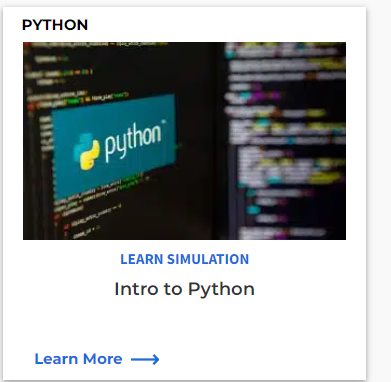
Learning Python itself. If your Python fundamentals are the limiting factor rather than Mechanical specifics, there's an introductory Python training course available through the Ansys Innovation Space.
Ansys Learning Hub (ALH) courses. Several structured courses extend directly on the material in this deck:
- "Ansys Mechanical Scripting" — the natural next step after this document, going deeper into Mechanical-specific scripting.
- "Make Better Applications: Python Scripting" — available both as slides and as a recorded session, useful if you want to build more polished, application-like tools rather than one-off scripts.
- "Introduction to Ansys ACT in Mechanical" — the natural companion to the ACT section below.
- "Introduction to Ansys Mechanical APDL Scripting" — for moving into APDL-level scripting, explicitly out of scope in this deck.
- "Scripting in Ansys Discovery" and its follow-up, "Advanced Scripting in Ansys Discovery" — relevant if your work spans Discovery as well as Mechanical.
The Ansys Customization Toolkit (ACT). ACT is the next tier up from console scripting and Python Code/Result objects, and is worth considering when you need to:
- Push customization of Workbench and Mechanical further than a single button or an inserted script can achieve.
- Hide your source code from end users of the tool you're building.
- Create Wizards — simplified, guided graphical interfaces that walk a user through setting up a model, rather than exposing the raw tree.
Building an ACT extension requires two files working together: an XML file that defines the graphical interface and governs how it calls into your Python code, and a Python file containing the actual functions the interface triggers.

An important caveat before you invest in ACT. The deck is direct about this: there is no active development on ACT going forward. Ansys's stated direction is that other technologies will eventually replace it — specifically, continued improvements to the Python Code and Python Result objects covered in the previous article, and web apps as a newer paradigm for custom tooling. If you're deciding where to invest your own learning time, it's worth weighing ACT's very real current capabilities (wizards, hidden source code, deep UI customization) against the fact that it's a maintenance-mode technology rather than a growing one.
Wrapping up. Across these six articles, the throughline has been consistent: understand what scripting is and where it fits (Article 1), see it work end-to-end on a real example (Article 2), learn to navigate the tree so you're not limited to that one example (Article 3), pick up the small habits that make daily scripting faster (Article 4), understand how to keep scripts reliable and embed them properly in your workflow (Article 5), and finally, know where the on-ramps are once you're ready to go beyond beginner territory (this article). That progression mirrors the original deck's own structure — from absolute basics to optional, advanced next steps — and should leave you equipped to write your first genuinely useful Mechanical script today, with a clear map of where to grow from there.
