

surfer
Last update: 10.09.2025Surface meshing
The Surfer class enables you to perform surface meshing using
different surface meshing algorithms on TopoFaces or face zonelets. Surface meshing considers many
parameters, such as size field type, minimum size, maximum size, growth rate, and transition type,
while meshing TopoFaces or face zonelets.
Surface meshing geometry/topology
The following example shows how to perform these steps:
- Import topology-based geometry (SCDOC) files and visualize the model.
- Surface mesh the TopoFaces with constant size.
Start the PyPrimeMesh client and import the CAD geometry (SCDOC) file:
import ansys.meshing.prime as prime
from ansys.meshing.prime.graphics import PrimePlotter

prime_client = prime.launch_prime()
model = prime_client.model

# Import CAD file
input_file = r"D:/Examples/simple-bracket-holes.scdoc"
file_io = prime.FileIO(model)
file_io.import_cad(
    input_file,
    params=prime.ImportCadParams(model=model, length_unit=prime.LengthUnit.MM),
)
# Show model in graphic
display = PrimePlotter
display.plot(model)
display(update=True)
part = model.get_part_by_name("simple-bracket-holes")
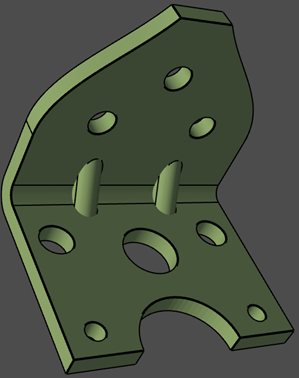
CAD geometry imported
Initialize surfer parameters and generate surface mesh on TopoFaces:
# Surface mesh with triangular elements of uniform size
surfer_params = prime.SurferParams(model=model, constant_size=1.0)
surfer_result = prime.Surfer(model).mesh_topo_faces(
    part.id, topo_faces=part.get_topo_faces(), params=surfer_params
)
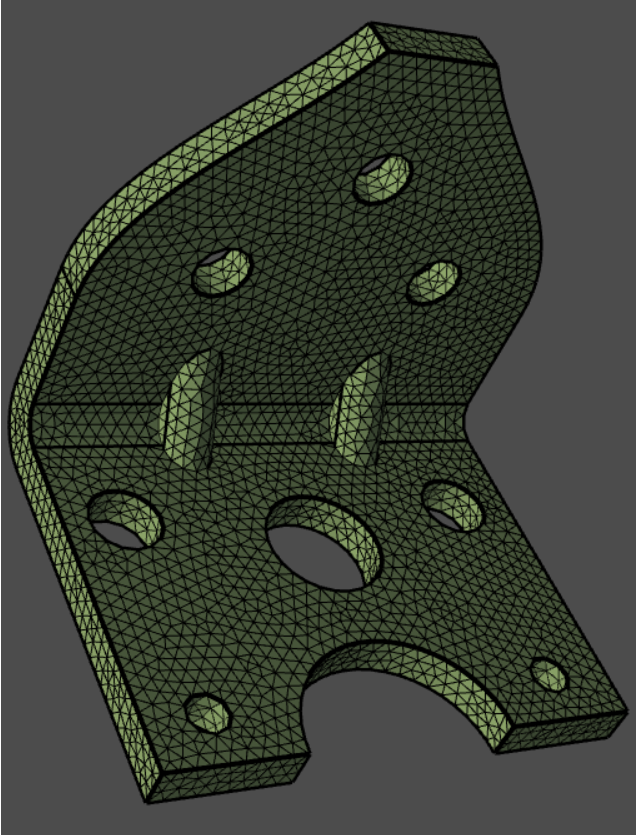
Surface mesh displayed
Remesh surfaces
This example shows you to perform these steps:
- Import a faceted geometry (STL) file and visualize the model.
- Create curvature size control and compute a volumetric size field. (For more information, see Sizing)
- Remesh the STL surface mesh.
Start the PyPrimeMesh client and import the faceted geometry (STL) file:
import ansys.meshing.prime as prime
from ansys.meshing.prime.graphics import PrimePlotter

prime_client = prime.launch_prime()
model = prime_client.model

# Import CAD file
input_file = r"D:/Examples/simple-bracket-holes.stl"
file_io = prime.FileIO(model)
file_io.import_cad(
    input_file,
    params=prime.ImportCadParams(model=model, length_unit=prime.LengthUnit.MM),
)
Now that the CAD file is imported, display the model using graphics module:
# Show model in graphic and get part summary
display = PrimePlotter(model)
display.plot(model)
display.show()
part = model.get_part_by_name("simple-bracket-holes")
part_summary_res = part.get_summary(prime.PartSummaryParams(model=model))
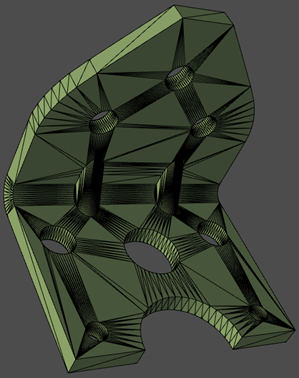
Faceted geometry imported
Print the results of part summary:
>>> print(part_summary_res)

Part Name: simple-bracket-holes
Part ID: 2
    0 Edge Zonelets
    1 Face Zonelets
    0 Cell Zonelets

    0 Edge Zones
        Edge Zone Name(s) : []
    0 Face Zones
        Face Zone Name(s) : []
    0 Volume Zones
        Volume Zone Name(s) : []

    0 Label(s)
        Names: []

    Bounding box (-10 -10 -8.17)
                 (19.1 23.075 25.52)

    Mesh Summary:
        1048 Nodes
        0 Poly Faces
        0 Quad Faces
        2124 Tri Faces
        2124 Faces
        0 Cells
Set the global sizing parameters to initialize size control parameters (with curvature refinement):
# Surface mesh size controls
model.set_global_sizing_params(
    prime.GlobalSizingParams(model, min=0.27, max=5.5, growth_rate=1.2)
)
size_control = model.control_data.create_size_control(prime.SizingType.CURVATURE)
size_control.set_scope(prime.ScopeDefinition(model))
Compute the volumetric size field based on the size controls:
size_field = prime.SizeField(model)
res = size_field.compute_volumetric(
    size_control_ids=[size_control.id],
    volumetric_sizefield_params=prime.VolumetricSizeFieldComputeParams(
        model, enable_multi_threading=False
    ),
)
Initialize surfer parameters and generate a surface mesh on face zonelets:
# Surface mesh with triangular elements
surfer_params = prime.SurferParams(
    model=model, size_field_type=prime.SizeFieldType.VOLUMETRIC
)
surfer_result = prime.Surfer(model).remesh_face_zonelets(
    part_id=part.id,
    face_zonelets=part.get_face_zonelets(),
    edge_zonelets=part.get_edge_zonelets(),
    params=surfer_params,
)
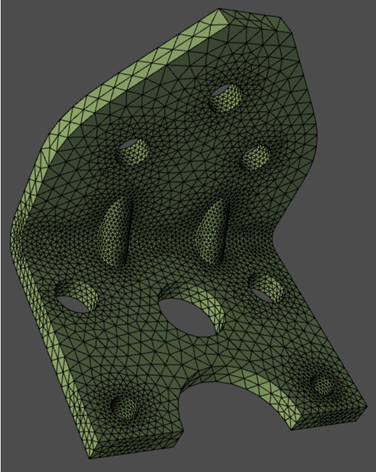
Surface mesh displayed
